

Why APIs Work in Postman but Not in the Frontend
This article explores the common frustration where APIs function perfectly in Postman but fail in a frontend environment

Told by Raiden, with Kai asking the questions
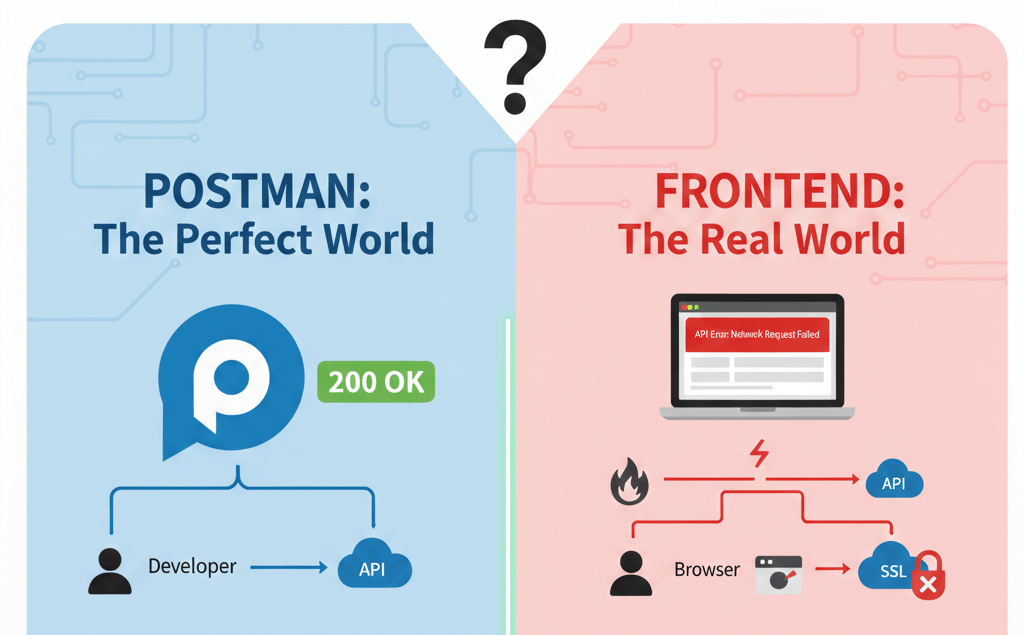
One of the most common challenges faced by frontend and full-stack teams is encountering APIs that function correctly in tools like Postman but fail when integrated into web applications.
This scenario often leads to extended debugging cycles and unnecessary rework. In most cases, the issue is not with the API itself, but with how modern browsers enforce security and communication standards.
In this article, we explain the key technical reasons behind this behavior and outline best practices to ensure seamless frontend–backend integration.

Acharya Kōdo: Your API isn't broken, Kai. Your browser is doing its job.

Understanding the Difference Between Postman and Browsers
Postman is a standalone API testing tool that allows developers to send requests directly to servers without restrictions.
Web browsers, on the other hand, implement strict security policies to protect users from malicious activity. These policies regulate how cross-origin requests are handled and determine whether responses are accessible to frontend applications.
As a result, APIs that work in Postman may fail in browsers due to these enforced security rules.
RaidenPostman is a courier with no rules. The browser is a gatekeeper: before it hands your code the response, it checks whether the server gave permission.
Cross-Origin Resource Sharing (CORS) Policy
What Is CORS?
Cross-Origin Resource Sharing (CORS) is a security mechanism that controls how resources are shared across different origins. An origin is defined by:
- Protocol (HTTP/HTTPS)
- Domain
- Port
When a frontend application and its backend API are hosted on different origins, browsers treat the request as cross-origin.
Why CORS Causes Failures in Browsers
While Postman ignores CORS policies, browsers strictly validate them. If the API response does not include proper CORS headers, the browser blocks access to the response, even if the server returns a successful status code.
Required CORS Headers
To allow cross-origin communication, backend services must return headers such as:
- Access-Control-Allow-Origin
- Access-Control-Allow-Methods
- Access-Control-Allow-Headers
Incorrect or missing values in these headers are the most common causes of blocked API responses.
Access to fetch at 'https://api.example.com/users' from origin
'http://localhost:3000' has been blocked by CORS policy:
No 'Access-Control-Allow-Origin' header is present on the requested resource.

KaiEasy. I'll add mode: 'no-cors' to my fetch.

RaidenThat silences the error and blinds you. The response comes back opaque: no status, no headers, no body you can read.
Missing or Misconfigured Headers
Importance of Request Headers
HTTP headers carry essential information related to authentication, content type, and request context. Many APIs rely on specific headers to validate and process incoming requests.
Postman allows developers to manually configure these headers. In browser-based applications, however, headers may be omitted, restricted, or filtered by security policies.
Common Header-Related Issues
Typical headers that cause failures include:
- Authorization headers for token-based security
- Content-Type headers for request body parsing
- Custom headers used for client identification
If these headers are not permitted in CORS configuration, browsers block the request before it reaches the server.

KaiThen I'll send Access-Control-Allow-Origin with my request.
RaidenWrong side. Those are response headers. Only the server can grant permission.
Preflight Requests and OPTIONS Handling
What Is a Preflight Request?
For certain types of requests, browsers send a preliminary request using the HTTP OPTIONS method. This is known as a preflight request.
The purpose of this request is to verify whether the server permits the actual request.
Preflight requests are triggered when:
- Non-standard HTTP methods are used
- Authorization headers are included
- Custom headers are present
- Non-default content types are specified
How Preflight Affects API Communication
If the server does not properly respond to the OPTIONS request with valid CORS headers, the browser cancels the main request.
Since Postman does not perform preflight validation, APIs may appear to function correctly during testing but fail in production environments.
Common Preflight Failures
Organizations often face preflight issues due to:
- Missing OPTIONS route handling
- Authentication enforced on OPTIONS endpoints
- Firewall or proxy restrictions
- Incorrect gateway configuration
- Incomplete CORS policies
Send JSON or an Authorization header and the browser sends a scout first: an OPTIONS request. If the server fails it, your real request is never sent.
// Register this BEFORE your auth middleware, so OPTIONS isn't asked for a token.
app.use((req, res, next) => {
  res.set('Access-Control-Allow-Origin', 'https://app.example.com');
  res.set('Access-Control-Allow-Methods', 'GET, POST, PUT, DELETE');
  res.set('Access-Control-Allow-Headers', 'Authorization, Content-Type');
  if (req.method === 'OPTIONS') return res.sendStatus(204);
  next();
});
Recommended Debugging Approach
To efficiently diagnose frontend API issues, teams should follow a structured approach:
Browser Developer Tools
Inspect the console and network logs for CORS or preflight-related errors.
Network Request Analysis
Review request and response headers for missing or incorrect values.
Environment Comparison
Compare Postman and browser requests to identify configuration gaps.
Backend Configuration Review
Validate CORS, gateway, and load balancer settings across environments.

ChitraguptaKeep two records side by side: the request Postman sent and the one in your browser's Network tab. The line that differs is your bug.
Acharya’s RuleIf it works in Postman but not in the browser, the API isn't broken. The browser is asking a question your server hasn't answered.
Conclusion
Modern web browsers act as security gatekeepers for frontend applications. Successful API integration requires close collaboration between frontend, backend, and infrastructure teams to ensure proper configuration of CORS, headers, and preflight handling.
By adopting the best practices outlined in this article, organizations can reduce integration risks, improve system reliability, and accelerate delivery cycles.
Frequently asked questions
Why doesn’t mode: 'no-cors' fix CORS?
It stops the browser from reporting the error, but the response becomes opaque, so your code can’t read the status, headers or body.
Can I fix CORS from the frontend?
Only during development, with a dev-server proxy. In production, the server (or API gateway) has to send the right headers.
Why does my GET work but my POST fail?
A POST with Content-Type: application/json or an Authorization header triggers a preflight, and the server isn’t answering the OPTIONS request correctly.