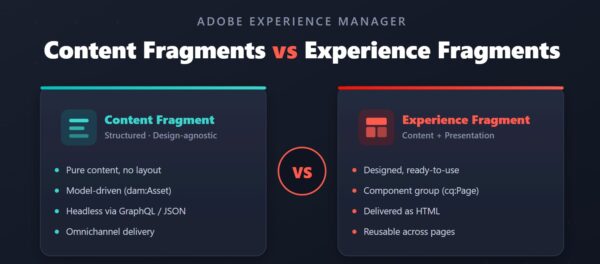

AEM Fragments: When to Use CF vs XF — Real Scenarios
Should you use a Content Fragment or Experience Fragment in AEM? Walk through 5 real scenarios and a 10-second test to always pick the right one.

Told by Kitsu
In my first post on Content Fragments vs Experience Fragments, we covered the core difference: Content Fragments are content without design, Experience Fragments are content with design. That's the theory. But when you're staring at an actual ticket, the question isn't "what's the difference?" — it's "which one do I reach for right now?"
So let's skip the definitions and walk through real scenarios.
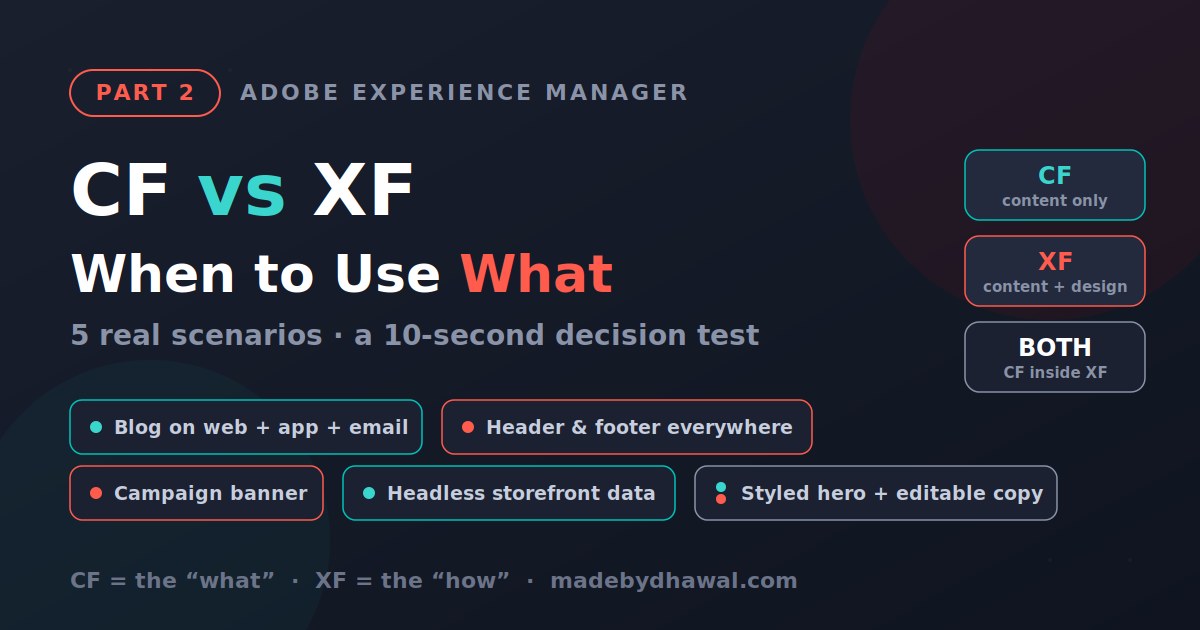
Scenario 1: A blog article shown on web, app, and newsletter
You're publishing editorial content that needs to appear on your website, inside a mobile app, and in an email digest — each with its own styling.
Use a Content Fragment. The article is pure structured content (title, body, author, date), and each channel renders it differently. Deliver it as JSON over GraphQL and let every channel own its presentation. This is CF's home turf: one source of truth, many looks.
Scenario 2: A site header and footer used on every page
Your header and footer must look identical across hundreds of pages, and when the design changes, it should update everywhere at once.
Use an Experience Fragment. This is designed, reusable page furniture — content and layout locked together. Build it once as an XF, drop it on every template, and a single edit ripples across the whole site.
Scenario 3: A promotional banner for a marketing campaign
Marketing wants a hero banner with specific styling, reused across several landing pages and also pushed to Adobe Target for personalization.
Use an Experience Fragment. It ships with its design intact and exports cleanly to Target as an HTML or JSON offer. XFs were practically built for campaign collateral.
Scenario 4: Product data feeding a headless storefront
Your product details (name, price, specs, images) power a React storefront and possibly a smartwatch app down the line.
Use a Content Fragment. Structured, model-driven, API-delivered — exactly what a headless front end consumes. No AEM presentation involved.
Scenario 5: A designed hero that pulls in editable content
Here's the one that trips people up: you want a styled hero section, but the headline and copy inside it should be structured, reusable, and editable independently.
Use both. Build the hero as an Experience Fragment for the layout, and embed a Content Fragment inside it for the text. The XF owns the "how," the CF owns the "what." This CF-in-XF pattern is where mature AEM implementations live.
The 10-second decision test
When you're unsure, ask two questions:
- Does this content need to look different across channels? → Content Fragment.
- Does this design need to look identical across pages? → Experience Fragment.
If you answered yes to both, you probably need them working together.
Wrapping up
The mistake I see most often is teams forcing everything into one or the other — hand-styling headless CF output because they didn't reach for an XF, or duplicating layout because they didn't centralize it. Keep the boundary clean: CF for data, XF for presentation, and both when you need reusable design wrapped around structured content.
Get that right, and the "which one?" question stops being a debate and becomes a reflex.
New to Content Fragments and Experience Fragments? Start with Part 1: What's the Difference for the fundamentals.