Why click doesn’t work on dynamically added elements (event delegation)
Buttons you add with JavaScript ignore every click because querySelectorAll only saw the old ones. Raiden, Domlok's Lightning guide, shows Kai event delegation: one listener on the parent and closest() to find who was clicked.

Told by Raiden, with Kai asking the questions
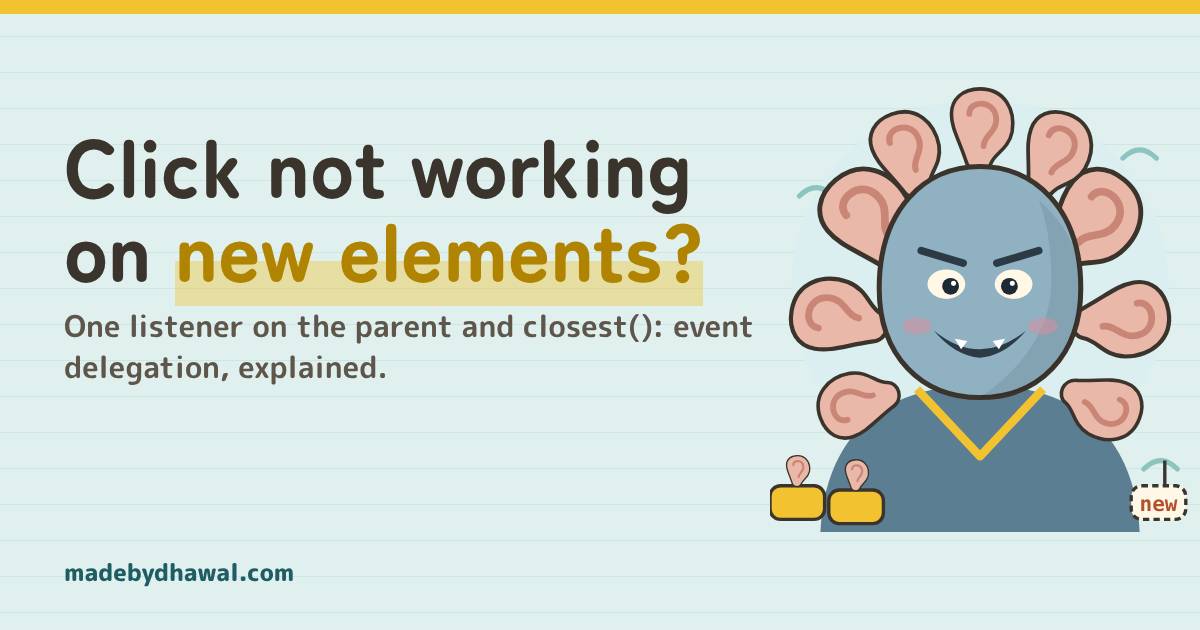
Raiden: Your new button never got an ear, Kai. Stop giving every button its own. Give the list one, and let the click come to it.
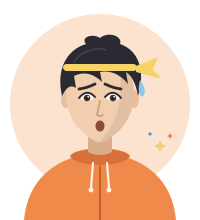
If your click handler works on the elements that were on the page when it loaded, but anything you add later with JavaScript ignores every click, the listeners were attached to a snapshot. querySelectorAll() only ever saw the old elements. The fix is event delegation: one listener on the parent, and event.target.closest() to find what was clicked.
In the world of Domlok this is the work of the Hundred Ears, a yokai that grows one ear for every button on the page. It hears every click on the buttons it was born with. The ones you add tomorrow are deaf, and it never tells you so: no error, no warning, just a button that does nothing.
Your guide for this episode is Raiden, the Lightning guide of Domlok. Events, timers and the JavaScript runtime are his domain, and a click is lightning that travels up the DOM, so he is the one who can show you where it goes. Kai, as usual, is the one who gave every button its own ear and forgot the new ones.
The new row that ignores you
Kai’s to-do list has a ✕ button on every row. When the page loads, he finds every delete button and gives each one a click listener. The Add button puts a new row at the end of the list:
const list = document.querySelector('#list');
function onDelete(event) {
event.currentTarget.closest('li').remove();
} // runs once, on page load
document.querySelectorAll('.delete').forEach((btn) => {
btn.addEventListener('click', onDelete);
});
addBtn.addEventListener('click', () => {
list.insertAdjacentHTML('beforeend', row(input.value));
});KaiThe first three crosses work. I add Buy milk, click its cross, and nothing happens. No error at all.
querySelectorAll() returns a static NodeList: a list of the elements that matched at the moment it ran. It does not update when the DOM changes. The forEach ran once, on page load, so only the three buttons that existed then got a listener. The button inside the new row was never in that list, so nothing is listening to it.
RaidenThat code runs once, Kai. It hands every button that exists right now an ear, and the buttons born later get none.
The second trap: innerHTML +=
If you add rows with list.innerHTML += row(text) instead, it gets worse. That line reads the list’s HTML as a string, adds yours, and parses the whole thing again. Every old <li> and button is replaced by a brand-new element, and listeners added with addEventListener do not come along. After the first add, even the old crosses stop working.
Why one listener is enough: bubbling
A click does not stop at the button. After the button’s own listeners run, the event bubbles up through every ancestor: the <li>, the <ul>, <body>, and on to document and window. Any of them can listen for it.
- button.delete: where the click happened. This is
event.target. - li: the row the button sits in.
- ul#list: put one listener here. While it runs,
event.currentTargetis the list. - body, document, window: the click keeps climbing unless someone stops it.

KaiSo the list hears every click inside it, even on buttons it has never met?
RaidenExactly. event.target tells you what was clicked. event.currentTarget tells you whose listener is running. One ear on the parent is enough.
The fix: one listener on the parent
Delete the loop. Listen once on the list, and work out which button was clicked from the event:
const list = document.querySelector('#list');
list.addEventListener('click', (event) => {
const btn = event.target.closest('.delete');
if (!btn || !list.contains(btn)) return;
btn.closest('li').remove();
});
addBtn.addEventListener('click', () => {
list.insertAdjacentHTML('beforeend', row(input.value));
});- Why
closest()and notevent.target? If the button holds an icon (an<svg>or a<span>), clicking the icon makes the icon the target.closest('.delete')checks the element itself first, then each ancestor, and returns the first match ornull. - Why
list.contains(btn)?closest()keeps climbing past the list. If the list sits inside something else with a.deleteclass, the check makes sure you only handle buttons inside this list. - Rows added tomorrow just work. The listener lives on the list, which never changes, so any button you add inside it is handled with no extra code.

KaiOne listener, and every cross works, old rows and new!
Events that do not bubble
Delegation needs the event to reach the parent. Most do, but a few don’t, and each has a bubbling partner:
| Event | Bubbles? | Delegate with |
|---|---|---|
click, input, change, keydown, submit |
Yes | the same event |
focus, blur |
No | focusin, focusout |
mouseenter, mouseleave |
No | mouseover, mouseout |
And watch for event.stopPropagation() in a child’s handler. It stops the click from climbing any further, so your list never hears it. Use it rarely, and never just to make a bug go away.
If you use React, you are already delegating: since React 17, React attaches its event listeners to the root container of your app rather than to each element. The closest() pattern is for plain DOM code, web components, and anything you render outside a framework.
Catch it in DevTools
1. The Event Listeners pane. In Chrome, right-click a new ✕ button and choose Inspect. In the Elements panel’s side pane, open Event Listeners and untick Ancestors. Before the fix, the new button has no click entry. After the fix, tick Ancestors again: the one click listener shows on ul#list.
2. The Console. With the button selected in Elements, $0 is that button:
getEventListeners($0).click // before the fix: undefined
getEventListeners(list).click.length // after the fix: 1
monitorEvents(list, 'click') // logs every click that reaches the list
getEventListeners() and monitorEvents() are DevTools console helpers, so they only work in the console, not in your code.
Before you add a listener
- Will elements of this kind be added, removed or re-rendered after page load? Listen on a parent that stays.
- Do you find the element with
event.target.closest(selector), and check it is inside your parent? - Does the event bubble? Use
focusin/focusoutandmouseover/mouseoutwhen delegating. - Is any child handler calling
stopPropagation()?
Acharya's Rule #21Listen once on the parent, and let closest() tell you who was clicked.
Next episode: The Ouroboros Render. Why your React component renders forever, and how setState in render, unstable dependencies, useMemo and useCallback feed the loop.
Think you can hush the Hundred Ears yourself? Play Raiden’s Relay on domlok.in and earn seal 21.
Watch the full episode and the Short on YouTube at @dom-lok and save the carousel on Instagram at @mbd.domlok.
Further reading
- MDN: Event bubbling and event delegation
- MDN: Element.closest()
- MDN: Document.querySelectorAll() returns a static NodeList
- MDN: focusin, the focus event that bubbles
- Chrome DevTools: Console Utilities API (getEventListeners, monitorEvents)