The Race of Two Fetches: why your React page shows data for the wrong click
Click one item, then another, and the screen shows the first. Raiden, Domlok's Lightning guide, tracks down the Twin Oni and the useEffect cleanup with AbortController that lets only the latest request answer.

Told by Raiden, with Kai asking the questions
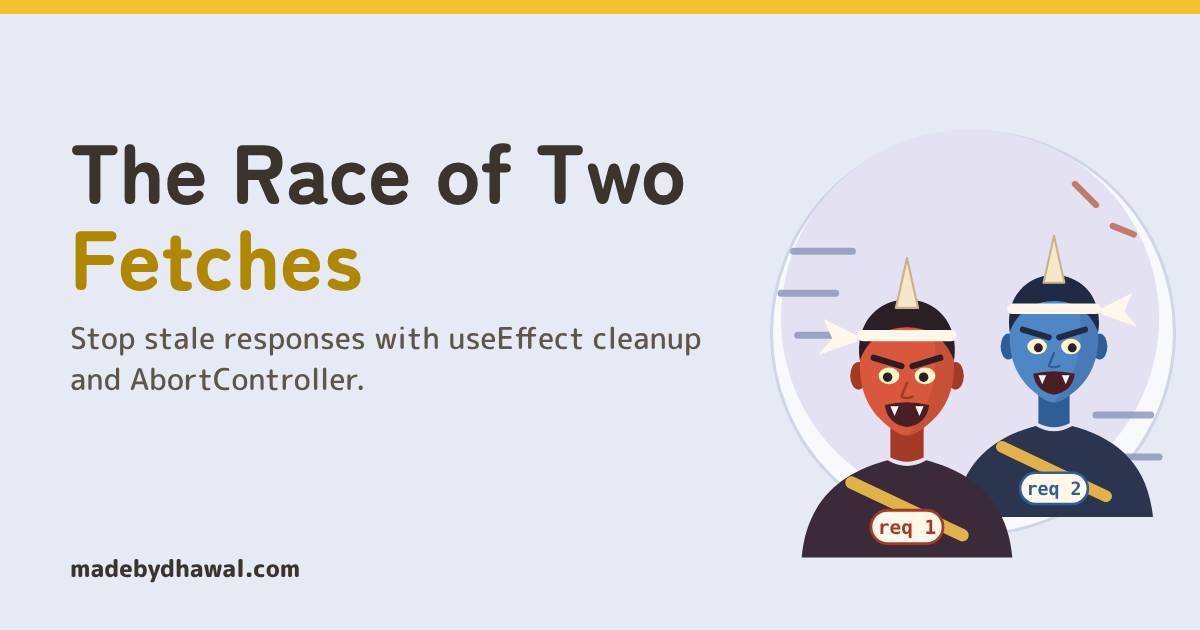
Raiden: Two messengers left the gate, Kai. The slow one came home last, and you believed whoever arrived last.

If your React page sometimes shows data for the item you clicked before the one you meant, you have a race condition. Two fetches ran at once, the older one answered last, and its setState painted over the newer result. The fix is a cleanup that aborts or ignores the old request.
In the world of Domlok this is the work of the Twin Oni, two messenger demons who race each other home. Aka carries your first request, Ao carries your second, and whoever arrives last gets to decide what the screen says. On a fast laptop they arrive in order and you never see them. On a slow phone, they swap places.
Your guide for this episode is Raiden, the Lightning guide of Domlok and keeper of everything that happens out of order: events, timers, promises and the JavaScript runtime. A race between two fetch() calls is an async problem, so it is his to solve. Kai, as usual, is the one who clicked twice.
The Twin Oni start running
Kai’s hero page has a list of names on the left and a profile card on the right. When the selected id changes, an effect fetches that hero:
function HeroPage({id}) {
const [hero, setHero] = useState(null);
useEffect(() => {
fetch(`/api/heroes/${id}`).then((res) => res.json()).then((data) => setHero(data));
}, [id]); // no cleanup return ;
}
KaiClick a name, see the hero. What could go wrong?
Here is what happens when Kai clicks Kitsu, then quickly clicks Raiden, on a day when the Kitsu request is slow:
- Click Kitsu:
idbecomeskitsu, the effect runs and starts request 1. - Click Raiden:
idbecomesraiden, the effect runs again and starts request 2. Nothing stops request 1. - Request 2 answers first (0.6 s):
setHero(raiden). The card is right, for now. - Request 1 answers last (3.1 s):
setHero(kitsu). The list says Raiden, the card shows Kitsu.
RaidenThe last response to arrive wins, not the last one you asked for. Fetch never promised an order: server load, caches and the network decide which answer comes back first.
Why it happens
Every change of id starts a new request, and each request finishes whenever it finishes. Both .then callbacks still run, in arrival order, and whichever calls setHero last stays on screen. The React docs describe exactly this: typing fast in a search box can make the response for an earlier query arrive after the response for a later one.
You’ll meet the Twin Oni anywhere the input changes faster than the answers come back: search boxes, tabs, filters, pagination and detail pages driven by the URL. Debouncing (Episode 13) cuts the number of requests, but it doesn’t fix the order of the ones that still run.
KaiOn my fast laptop, I never saw it.
Fix one: ignore the late answer
Give each run of the effect its own flag. When id changes, React runs the previous effect’s cleanup before running the effect again, and that cleanup sets the old run’s flag to true.
useEffect(() => {
let ignore = false;
fetch(`/api/heroes/${id}`).then((res) => res.json()).then((data) => {
if (!ignore) setHero(data);
});
return () => {ignore = true;};
}, [id]);
When Kitsu’s late answer arrives, its own ignore is already true, so it never calls setHero. This is the pattern the React docs use. The old request still downloads to the end, though; you just throw its answer away.
Fix two: stop the messenger with AbortController
useEffect(() => {
const controller = new AbortController();
fetch(`/api/heroes/${id}`, {
signal: controller.signal
}).then((res) => res.json()).then(setHero).catch((err) => {
if (err.name !== 'AbortError') setError(err);
});
return () => controller.abort();
}, [id]);
Pass the controller’s signal to fetch and call abort() in the cleanup. The old fetch() promise rejects with an AbortError, and if the response had already arrived but its body was still being read, res.json() rejects with AbortError too. Either way setHero never runs for the old request, and the browser can stop the download.
Only swallow AbortError. A 500, a network failure or bad JSON is a real problem and should still reach your error state. (If you call abort(reason) with your own reason, the fetch rejects with that reason instead, so the name check changes.)

KaiSo the old request doesn’t just get ignored, it gets cancelled. Less wasted network too!
No React? Same rule
In plain JavaScript, keep one controller outside the function. Every new call aborts the previous one, then makes its own:
let controller;
async function loadHero(id) {
controller?.abort();
controller = new AbortController();
try {
const res = await fetch(`/api/heroes/${id}`, {
signal: controller.signal
});
render(await res.json());
} catch (err) {
if (err.name !== 'AbortError') showError(err);
}}
Only the newest call can reach render. Every older one ends in the catch as an AbortError.
Which fix to use
| Approach | Stale answer painted? | Old request stopped? | Use it when |
|---|---|---|---|
| No cleanup | Yes, sometimes | No | Never |
ignore flag |
No | No, it finishes | The async call can’t take a signal |
AbortController |
No | Yes | Anything built on fetch |
| Data library (TanStack Query, SWR) | No | Depends on the library | Apps with a lot of server data |
Data libraries keep each result under its query key, so a late answer for kitsu is stored for kitsu and never shown on the raiden screen. They are a good choice, but it’s worth knowing the rule they follow.
Catch the race in DevTools
1. Slow the network. Open Chrome DevTools, go to the Network panel, filter by Fetch/XHR and set throttling to 3G.
2. Click two items quickly. Without the fix, both requests finish with 200 and the card flickers to the wrong item. With AbortController, the older row shows (canceled) in the Status column and only the last request completes.
3. Don’t panic about one canceled request on first load. In development, React Strict Mode mounts, cleans up and mounts every component again, so the first request is aborted on purpose. That’s your cleanup working. It doesn’t happen in production builds.
RaidenOne answer painted: the one you asked for last. The twins can’t race anymore.
Before you merge a fetch
- Does the effect that fetches return a cleanup?
- Does the cleanup call
abort(), or flip anignoreflag? - Is
AbortErrorthe only error you silence? - With 3G throttling and two quick clicks, does only the last request complete?
Acharya's Rule #16Only the latest request gets to answer. Abort or ignore the rest.

Next episode: Three Chests of Storage. localStorage, sessionStorage and cookies: what each one remembers, for how long, and who can read it.
Think you can outrun the twins yourself? Play Outrun the Twin Oni on domlok.in and earn seal 16.
Watch the full episode and the Short on YouTube at @dom-lok and save the carousel on Instagram at @mbd.domlok.
Further reading
- React docs: You Might Not Need an Effect (fetching data and race conditions)
- MDN: Using the Fetch API (canceling a request)
- MDN: AbortController.abort()
- Chrome DevTools: Network features reference (throttling)