The Dialog Gate: why your div modal lets Tab escape, and how <dialog> fixes it
Kai's modal is a div, so Tab walks straight out and Escape does nothing. Vishwa, the Earth guide of Domlok, swaps it for a native <dialog> opened with showModal(), and the browser handles focus, Escape and the page behind.

Told by Vishwa, with Kai asking the questions
Vishwa: A builder judges a gate by what it does, Kai, not by how it looks. Yours lets everyone walk straight through.

If keyboard users can Tab out of your modal onto the page behind it, and Escape does nothing, your modal is probably a styled <div>. Swap it for a native <dialog> opened with showModal(), and the browser gives you the focus handling, the Escape key, the backdrop and the inert page for free.
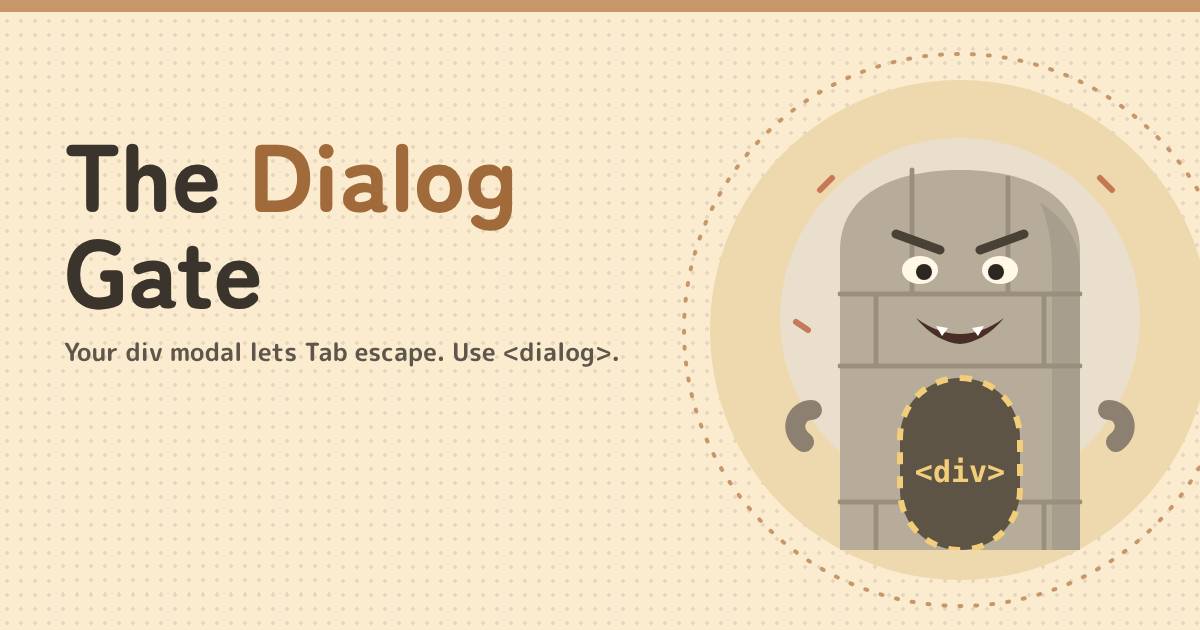
In the world of Domlok this is the work of the Hollow Wall, a nurikabe with a door painted on its chest. From the front it looks exactly like a gate. Walk up to it with a keyboard or a screen reader and you find there is nothing there: you pass straight through to whatever is behind.
Your guide for this episode is Vishwa, the Earth guide of Domlok and its builder. HTML and semantics are his domain: he cares what an element is, not just what it looks like, which makes him the right one to tell a painted door from a real gate. Kai, as usual, is the one who built the painted door.
The painted door
Kai needs a confirm box before the user leaves the dojo. He builds it the way many of us learned: an overlay, a box, a very large z-index, and a line of JavaScript to show it.
<div class="overlay"></div>
<div class="modal" id="leave">
<h2>Leave the dojo?</h2>
<button id="stay">Stay</button>
<button id="go">Leave</button>
</div>
// .modal { position: fixed; z-index: 9000; display: none; }
openBtn.onclick = () => { leave.style.display = 'block'; };
KaiIt sits on top of everything. Looks like a modal to me.
To a mouse user, it is. Now try it with a keyboard:
- Focus stays behind. Opening the box doesn't move focus into it. Focus is still on the button you clicked, underneath the overlay.
- Tab walks out. Tab moves to the next focusable element in the document, so after Stay and Leave it lands on links and inputs in the page behind, which you can't even see.
- Escape means nothing. A
divhas no idea it is supposed to close. - Screen readers keep reading the page. Nothing announces a dialog, and the content behind the overlay is still in the accessibility tree.
- The z-index war. A
z-indexonly competes inside its own stacking context, so a sticky header or a transformed parent can still end up on top of your box.
VishwaYou can patch every one of those with code: a focus trap, a keydown listener, aria-hidden on everything else, and a z-index arms race. Or you can use the gate the browser already built.
The fix: a real gate
HTML has a dialog element. Put a form inside it with method="dialog", give each button a value, and open it with showModal().
<button id="openBtn">Leave the dojo</button>
<dialog id="leave" aria-labelledby="leave-title">
<form method="dialog">
<h2 id="leave-title">Leave the dojo?</h2>
<button value="stay" autofocus>Stay</button>
<button value="leave">Leave</button>
</form>
</dialog>
openBtn.addEventListener('click', () => {
    leave.returnValue = '';
    leave.showModal();
});
leave.addEventListener('close', () => {
    if (leave.returnValue === 'leave') goHome();
});dialog::backdrop { background: rgb(28 18 9 / 0.6); }When a button submits a method="dialog" form, the dialog closes and its returnValue becomes that button's value. Nothing is sent to a server. Pressing Escape also closes a modal dialog, but it doesn't set returnValue, so the old value would stick around if you reuse the dialog. That is why the opener resets it to an empty string first.

KaiNo z-index, no key listener, no focus trap. Just HTML!
What showModal() does for you
| Job | div modal | <dialog> + showModal() |
|---|---|---|
| Stays on top | z-index, if no stacking context gets in the way | Top layer, above every z-index, with a stylable ::backdrop |
| Page behind | Still clickable, focusable and read aloud | Inert: no clicks, no focus, hidden from assistive tech |
| Focus on open | Stays on the opener | Moves to the first focusable element, or the one with autofocus |
| Escape key | Nothing | Fires cancel, then closes the dialog |
| Focus on close | Wherever it was | Back to the element that had focus before it opened |
| Announced as | A generic group of text | role="dialog" with aria-modal="true" |
One method call, six jobs. Because the page behind is inert, Tab can't reach it: focus moves through the dialog's controls and, past the last one, out to the browser's own toolbar, never onto the page underneath.
Gates that still leak
show()or theopenattribute makes a non-modal dialog. No inert page, no backdrop, and Escape doesn't close it. For a modal, always callshowModal().- Clicking the backdrop doesn't close it by default. If you want that, close it when the click lands on the dialog element itself (see below). Newer browsers also support
closedby="any", but check support before relying on it. - Don't put
tabindexon the dialog. The dialog itself isn't interactive. Useautofocuson the control that should get focus first. - Give it a name. Point
aria-labelledbyat the heading so screen readers announce what the dialog is about. - Keep a visible close button. Not everyone has an Escape key, and touch users need something to tap.
// The dialog has padding: 0 and its content sits in an inner wrapper,
// so a click whose target is the dialog itself landed on the backdrop.
leave.addEventListener('click', (e) => {
    if (e.target === leave) leave.close();
});KaiSo even a real gate leaks if I open it with show().
Inspect the gate in DevTools
1. Elements panel. Open the dialog, then select it in Chrome DevTools. An open modal dialog shows a top-layer badge, and its ::backdrop appears as a pseudo-element right inside it.
2. Accessibility pane. With the dialog selected, open the Accessibility pane. The computed role should be dialog, and the name should come from your heading via aria-labelledby.
3. Console. Check where focus is before and after.
// after showModal() document.activeElement //
<button value="stay" autofocus>
// after closing with Esc or a button
document.activeElement // <button id="openBtn">
If focus is still on the opener after the dialog opens, or Tab reaches anything behind it, the Hollow Wall is still standing.
VishwaFocus goes in, Escape works, focus comes home. That is a gate.
Before you ship a modal
- Is it a
<dialog>, opened withshowModal()? - Does focus move inside when it opens, and back to the opener when it closes?
- Can Tab ever reach the page behind it?
- Does Escape close it, and is there a visible close button too?
- Is it named with
aria-labelledby, and doesreturnValueget reset before each open?
Acharya's Rule #12A modal is a <dialog> opened with showModal(), never a div in disguise.

Next episode: Raiden's Throttle. Why your search box fires a request on every keystroke, and when to debounce or throttle it.
Think you can bring down the Hollow Wall yourself? Play Vishwa's Dialog Gate on domlok.in and earn seal 12.
Watch the 36-second version on YouTube at @dom-lok and save the carousel on Instagram at @mbd.domlok.
Further reading