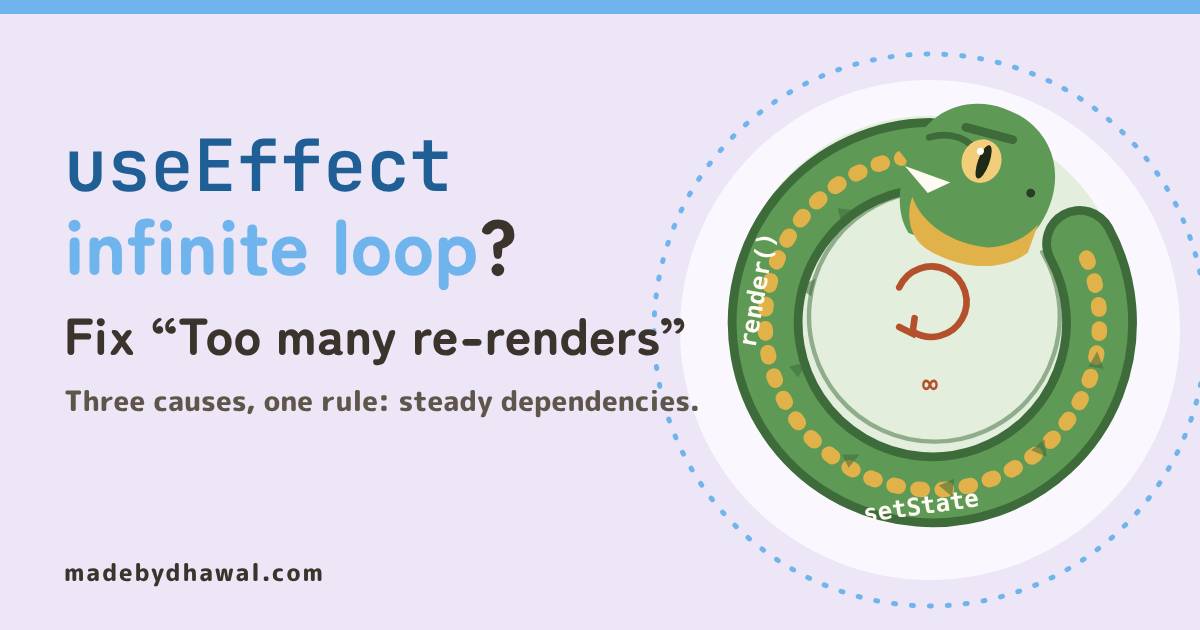
useEffect infinite loop? Fix “Too many re-renders” in React (The Ouroboros Render)
Kai's search page fetches forever after one visit. Chitragupta, keeper of Domlok's ledger, reads the loop: setState during render, a missing dependency array, and an object that is new on every render, and how to fix each one.

Told by Raiden, with Kai asking the questions

Chitragupta: I write one line in my ledger for every render, Kai. Your search page has filled forty pages since breakfast.

If your useEffect runs in an infinite loop, or React throws Too many re-renders, something is setting state in a way that causes another render, which sets state again. There are three usual causes: setting state while rendering, an effect with no dependency array, and a dependency that is a new object or function on every render. Each has a short fix.
In the world of Domlok this is the work of the Ouroboros, a serpent that swallows its own tail. Render feeds the effect, the effect feeds state, state feeds the next render. It never stops on its own, and it often doesn’t throw an error either. It just fills your Network tab and burns your users’ batteries.
Your guide for this episode is Chitragupta, the Water guide of Domlok and keeper of every record. State, data and storage are his domain, and an infinite loop is a ledger that never stops growing, so he is the one to read it. Kai, as usual, wrote the loop: a search page that fetches forever after one visit.
How a render loop works
React renders your component, updates the DOM, then runs your effects. If an effect sets state to a new value, React renders again. Normally that second render is the end of it: the effect’s dependencies didn’t change, so React skips the effect and the loop stops after one extra line in the ledger.
The Ouroboros appears when that check never says “unchanged”. Then it is render, effect, set state, render, forever.
KaiSo which part of my code is the tail?
Cause 1: setting state while rendering
The fastest loop doesn’t even need an effect. Look at the brackets on this button:
function Drawer() {
const [open, setOpen] = useState(false);
return <button onClick={setOpen(true)}> Open </button>;
}
onClick={setOpen(true)} calls setOpen right now, while React is rendering, and passes its return value as the handler. Setting state during render asks for another render, which sets state again. React stops it with Too many re-renders. React limits the number of renders to prevent an infinite loop. Pass a function instead:
<button onClick={() => setOpen(true)}> Open </button>The same error appears when the component body copies props into state unconditionally, like setCount(items.length) at the top level. You don’t need state for that: calculate it during render with const count = items.length;.
ChitraguptaIf you can calculate it from props or state, calculate it. Never copy it into state from the body.
Cause 2: an effect with no dependency array
Kai’s search page doesn’t crash. It just keeps fetching:
function ScrollSearch({ tag }) {
const [results, setResults] = useState([]);
useEffect(() => {
search(tag).then(setResults);
}); // no dependency array
return <ResultList items={results} />;
}
An effect with no array runs after every render. It fetches, calls setResults with a brand-new array from the server, and that new array causes the next render. React only skips a re-render when the new state is the same value (compared with Object.is), and a fresh array never is. Because the update happens after a network request, React doesn’t warn you. The loop simply runs as fast as your API answers.
Add the array, with the values the effect reads:
useEffect(() => {
search(tag).then(setResults);
}, [tag]); // runs on mount, then only when tag changes
Cause 3: a new object every render

KaiMy real page has an array, though. I put my filters object in it, and it still loops.
function ScrollSearch({ tag }) {
const [results, setResults] = useState([]);
const filters = { tag, sort: "new" };
useEffect(() => {
search(filters).then(setResults);
}, [filters]); // ...
}
filters is created in the component body, so every render makes a new object, even when tag and sort haven’t changed. React compares each dependency with its previous value using Object.is, and two different objects are never equal. The effect sees a “change” on every render, fetches, sets new results, renders, and makes yet another filters.
| Comparison | Result | Why |
|---|---|---|
Object.is('fire', 'fire') |
true |
strings compare by value |
Object.is(3, 3) |
true |
numbers compare by value |
Object.is({ tag }, { tag }) |
false |
two different objects |
Object.is([], []) |
false |
two different arrays |
Object.is(fn, fn2) |
false |
a new function each render |
Functions behave the same way. A const load = () => search(tag) written in the body is a new function on every render, so listing load as a dependency loops just like an object.
ChitraguptaYour array promised the effect something new on every render, Kai. Give it values that change only when they mean to.
The fix: steady dependencies
First choice: build it inside the effect
useEffect(() => {
const filters = { tag, sort: "new" };
search(filters).then(setResults);
}, [tag]);
Now the effect depends on tag, a string, and a string is always equal to itself. One request per tag.
If it never changes: move it outside the component
const SORT = { sort: "new" }; // created once, not per render
function ScrollSearch({ tag }) {
const [results, setResults] = useState([]);
useEffect(() => {
search({ ...SORT, tag }).then(setResults);
}, [tag]);
}
Last resort: useMemo and useCallback
Sometimes the object or function has to come from render, for example when you pass it to a child that uses it in its own effect. Then keep its identity stable: useMemo returns the same object and useCallback the same function until their own dependencies change.
const filters = useMemo(() => ({ tag, sort: "new" }), [tag]);
const load = useCallback(() => search({ tag }), [tag]);
React’s docs treat useMemo as a performance hint, so moving the value into the effect is simpler and safer when you can. In a real app, also ignore stale responses in the effect’s cleanup (see Episode 16), or use a data library that caches by query.

KaiOne request. The Network tab is quiet!
Catch the serpent in DevTools
- Network tab. Open DevTools → Network, filter by Fetch/XHR, and load the page. A request that keeps repeating while nobody clicks anything is the first sign.
- React DevTools. In the Components tab settings, turn on Highlight updates when components render. A component that flashes nonstop is looping. The Profiler shows commit after commit with nothing clicked.
- The console. When an effect sets state synchronously in a loop, React warns:
Maximum update depth exceeded. This can happen when a component calls setState inside useEffect, but useEffect either doesn't have a dependency array, or one of the dependencies changes on every render.The message names both causes. - The linter. Keep
react-hooks/exhaustive-depson. It warns when an object or function declared in the body makes an effect’s dependencies change on every render, and suggests moving it inside the effect or wrapping it inuseMemo.
Before you merge an effect
- Is every
setStateinside an event handler or an effect, never in the component body? - Does every effect have a dependency array?
- Is every dependency a primitive, or an object or function that stays the same between renders?
- After loading the page and waiting, does the Network tab show one request, not a stream?
Acharya's Rule #22Never set state while rendering. Give every effect dependencies that change only when they should.

Next episode: The Nameless Field. Vishwa builds form fields that work: <label for>, the right input type and inputmode, autocomplete tokens and native validation messages.
Think you can uncoil the serpent yourself? Play Break the Ouroboros on domlok.in and earn seal 22.
Watch the episode on YouTube at @dom-lok and save the carousel on Instagram at @mbd.domlok.
Further reading
- React docs: Removing Effect Dependencies
- React docs: useState (troubleshooting “Too many re-renders”)
- React docs: useEffect (dependencies are compared with Object.is)